OnixFeed for Books
OnixFeed is a comprehensive ONIX 3.0 metadata management platform designed for the modern publishing industry. We help publishers, distributors, and booksellers create, manage, and distribute book metadata efficiently and accurately.
ONIX 3.0 Feed Generation
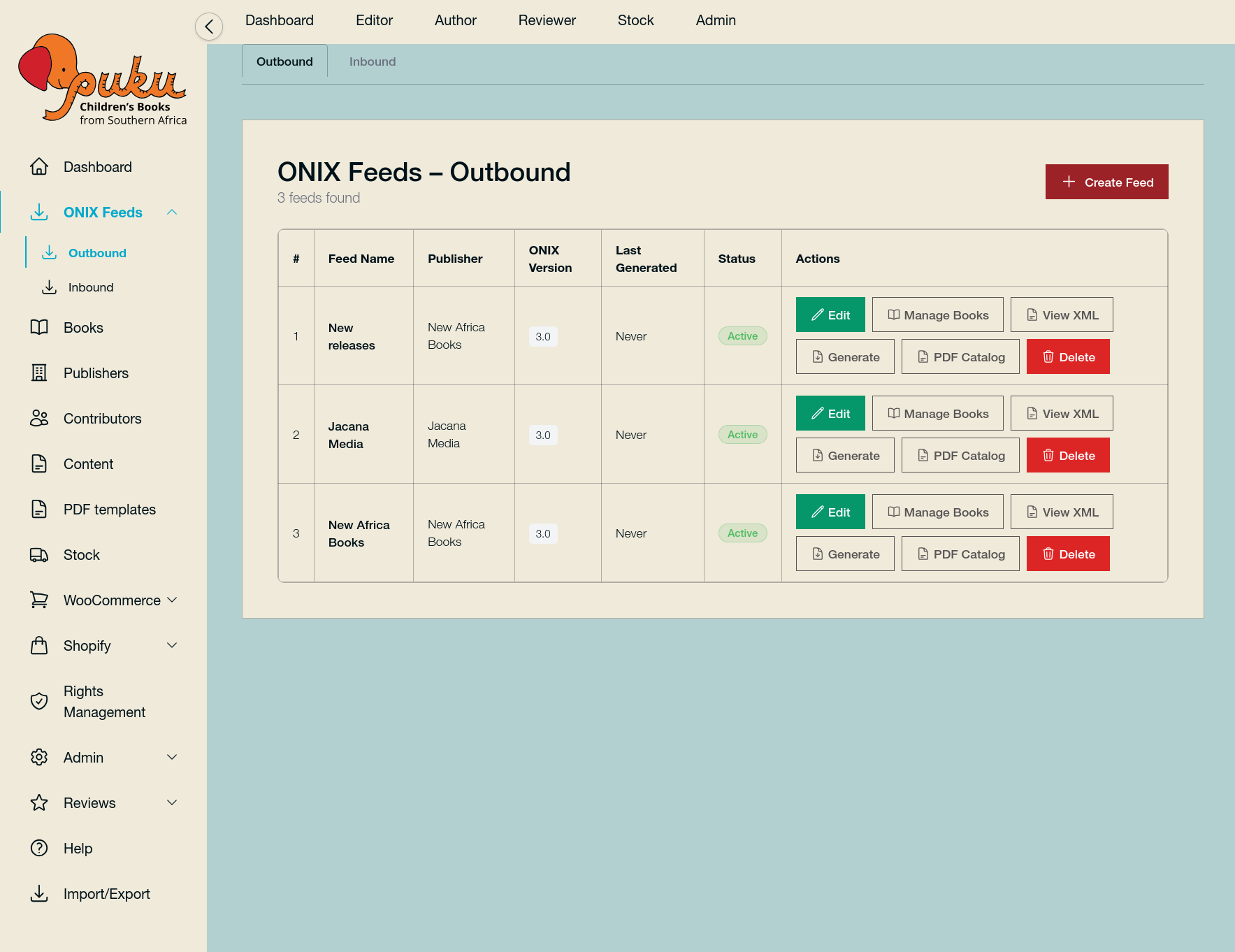
Generate ONIX 3.0 compliant XML feeds on demand. Configure feeds by publisher, choose which titles to include, and optionally include cover images and inventory. Export the feed file for retailers, distributors, and digital platforms.
Book Catalog & Metadata
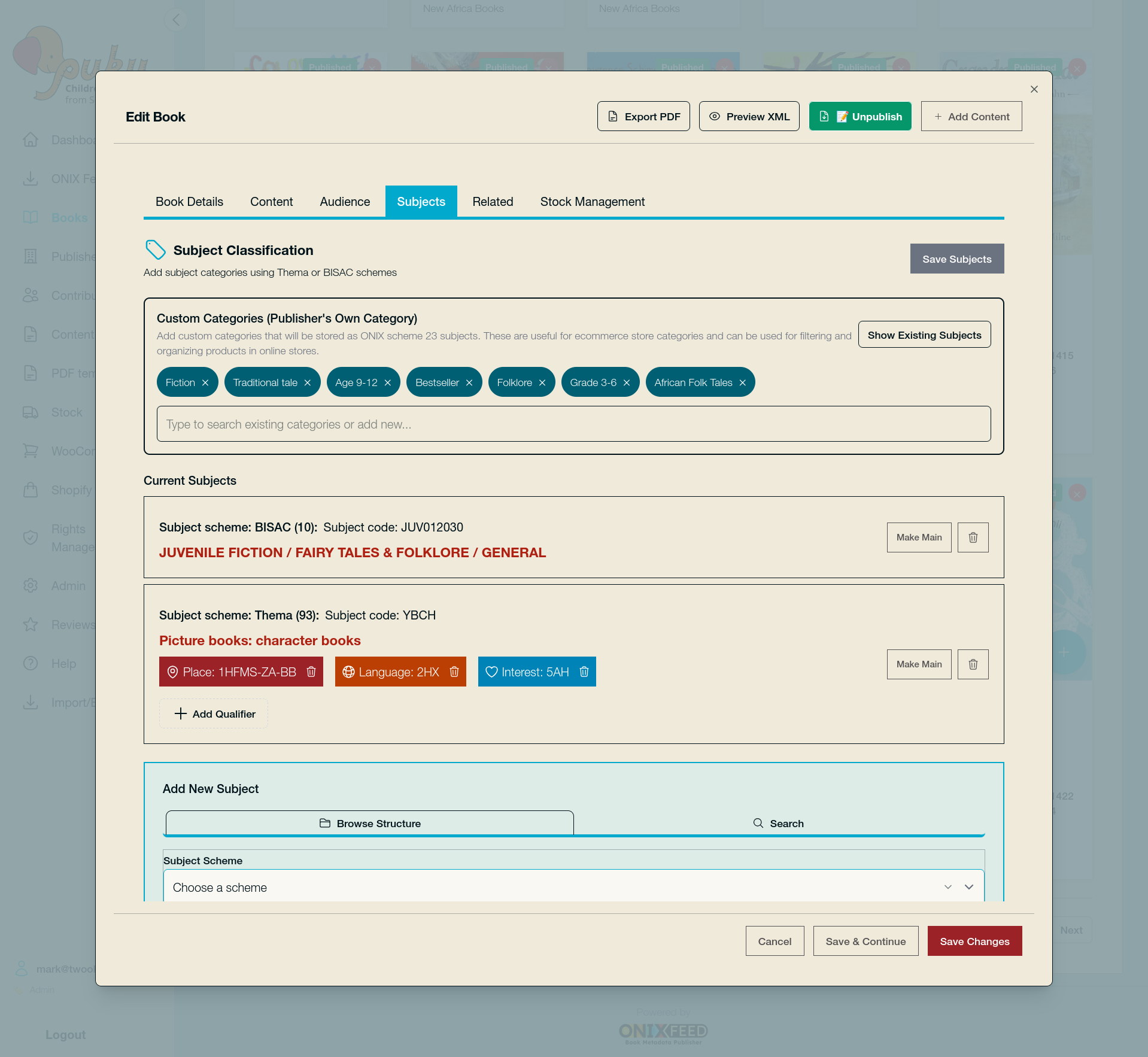
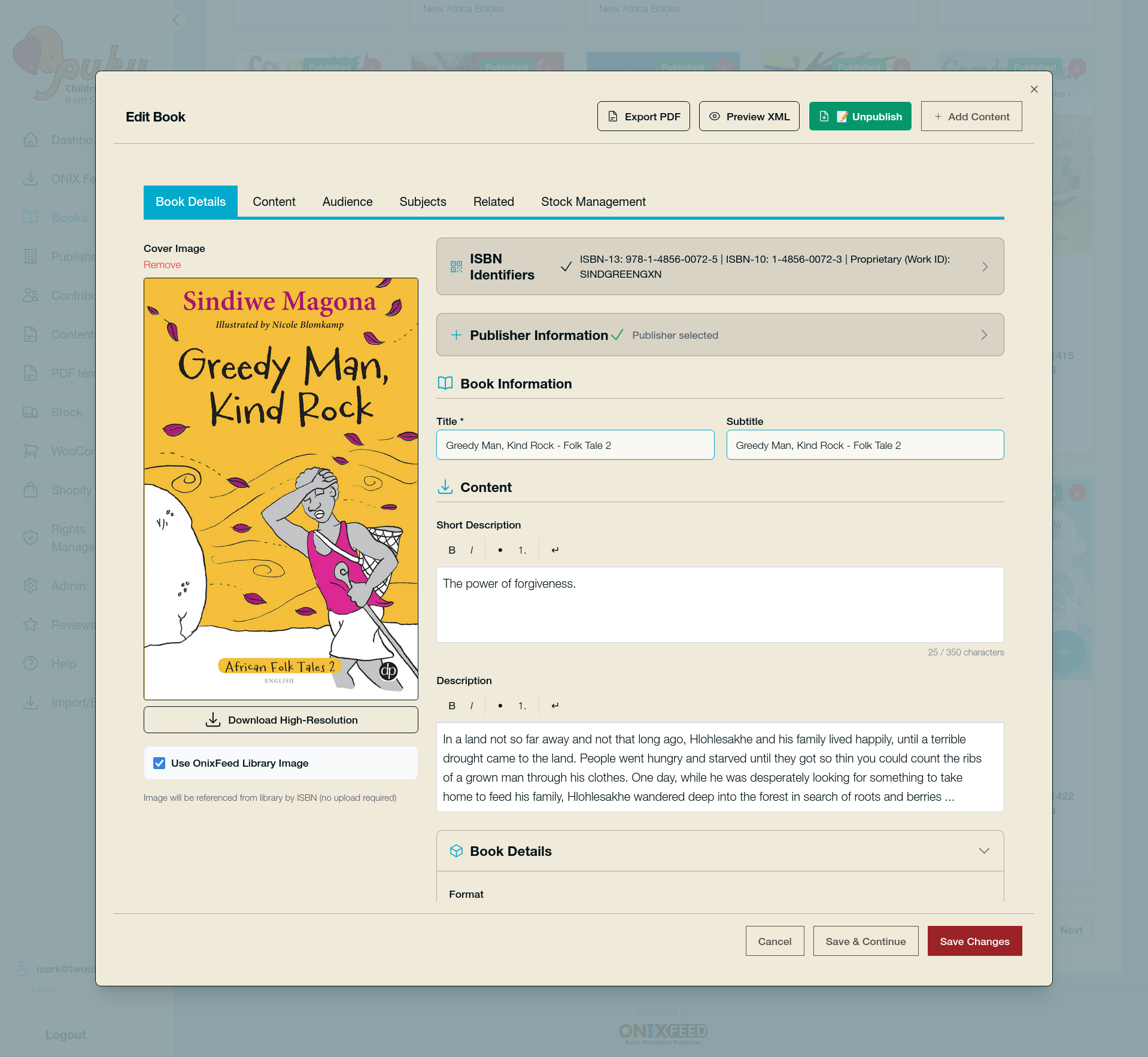
Manage your full book catalog in one place: titles, contributors, formats, languages, pricing, availability, and descriptions. One source of truth for ONIX and e-commerce.
CDN & Image Library
Book Images are stored and delivered via a CDN for fast, consistent loading across the app, ONIX feeds, and e-commerce exports. Our image library (with staging and promote-to-library workflow) keeps cover art organised and your assets a source of truth.
Inbound ONIX Feeds
Pull ONIX XML into your catalog from FTP or URL on a schedule. Configure inbound feeds per publisher; run imports on demand or automatically. Incoming data is validated and mapped into your catalog so you can receive and merge feeds from distributors or partners.
Outbound ONIX Feeds
Generate ONIX 3.0 compliant XML feeds on demand. Configure outbound feeds by publisher, choose which titles to include, and optionally include cover images and inventory. Export the feed file for retailers, distributors, and digital platforms.
Import from Excel, CSV & ONIX
Import books from Excel or CSV (including Shopify-style exports). Upload ONIX XML files directly when you have a one-off feed. Data is validated and mapped into your catalog.
Export for WooCommerce & Shopify
Build store collections from your catalog and export CSV for WooCommerce (books, contributors, reviews, publishers). Export for Shopify so one catalog can feed multiple e-commerce storefronts.
PDF Catalogs & Flyers
Create professional PDFs from your catalog: single-book flyers for promotion and multi-book PDF catalogs from any ONIX feed.
Stock & Inventory
Manage stock levels per product or in bulk. Include inventory in ONIX feeds and in e-commerce exports so retailers and stores stay in sync when you update.
Rights & Territory
Manage territorial rights and distribution permissions (territories, formats, dates). Rights are included in ONIX feeds for compliance.
Contributors & Reviews
Manage authors, illustrators, and other contributors; attach and manage book reviews. Both flow into ONIX and into e-commerce exports.
Multi-Publisher & Multiple Feeds
Support for multiple publishers and multiple outbound ONIX feed configs—one catalog, different feeds for different partners or channels.
API & Integrations (Coming soon!)
Access your catalog, store collections, and ONIX data via API so you can connect OnixFeed to your own sites, headless storefronts, or partner systems. The WooCommerce plugin and other integrations use token-based API access; you can build custom feeds, sync to other platforms, or pull data into your own tools without duplicating your source of truth.
OnixFeed for Book Stores
Multi-store for multiple sales channels
One catalog. Many storefronts. No duplicate data.
OnixFeed is built so a single catalog can feed multiple e-commerce stores and channels without re-entering data into separate systems. You maintain book metadata, stock, and rights once; you choose what goes where and export or publish per store or partner.
Store collections
Define which books belong to which store (e.g. main site, school sales, gift store). Each store collection can be exported as CSV for a specific WooCommerce site or used to drive what appears on a given Shopify store. Same catalog, different slices for different storefronts.
Multiple WooCommerce sites
Generate a WooCommerce compatible CSV per store collection. Each WordPress/WooCommerce store imports its own CSV (via the ONIXFeed Woo plugin). One OnixFeed instance can supply many WooCommerce stores; each store gets only the books and data you assign to that collection.
Shopify alongside WooCommerce
Use the same catalog for both: export CSV for WooCommerce by store collection, and use OnixFeed’s Shopify collections and theme for a Shopify store. Different platforms, one source of truth.
Multiple ONIX feeds
Create several outbound ONIX feed configs (e.g. one per distributor, retailer, or library partner). Each feed can include a different set of titles and options (covers, inventory, etc.). One catalog, many ONIX outputs.
No duplicate data entry
Update a title, price, or stock once; reflect it in every feed and store you choose.
Consistent metadata
ONIX-compliant data everywhere; no drift between sites or partners.
Flexible growth
Add a new store or feed by adding a store collection, not a new system.
OnixFeed for E-commerce
Whether you run a WordPress store with WooCommerce or a Shopify store - or both - OnixFeed makes it simple to keep your products up to date with the rich metadata you have. Below is how we support each platform.
OnixFeed keeps your book catalouge as a single source of truth and connects it to your e-commerce storefronts.
WooCommerce
Bring your OnixFeed catalog straight into your WordPress store.
The OnixFeed Woo plugin syncs ONIX-compliant book data from OnixFeed to WooCommerce. You export CSV from OnixFeed (by store collection), then import via the plugin - books, contributors, publishers, and reviews in one workflow. Your store stays aligned with your single source of truth.
WordPress storefront stack:
Build your store with WooCommerce for products and checkout, Elementor for layout and page design, CrocoBlock JetEngine for related content and listing grids, and CrocoBlock JetSmartFilters and JetSearch for search and smart filters. Taxonomies imported from OnixFeed (language, format, age range, publisher, subject) plug into JetSmartFilters so customers can filter and discover books by language, format, age, or theme—no custom code. Elementor templates and JetEngine Query Builder let you design product grids, collection landing pages, and author/review blocks that stay in sync with your catalog. OnixFeed Woo plugin provides handy short-codes for custom functionality and direct import of products and taxonomy.
Shopify
A Shopify storefront built for books - Dawn performance with publishing and multi-language built in.
We offer a Dawn-based Shopify theme enhanced for book publishers and multi-language catalogs. It keeps Shopify’s Dawn foundation (Online Store 2.0, performance, accessibility, mobile-first) and adds publishing-focused features and optional language-collection systems so your store can showcase books by language, series, or genre.
Need help with your e-commerce store?
We offer full service, from design to build and launch of your new e-commerce store.
If you already have a store and need assistance implementing OnixFeed, please reach out and we will work out a pain-free process to get you up and running.
OnixFeed for Users, Publishers and Imprints
Roles-based access for multiple users, combined with multi-tenanted architecture for multiple publishers on the same install.
One platform. Many users. The right access for every role.
OnixFeed uses role-based access, so each team member sees only what they need.
You can add more users and publishers, each with their own set of permissions, giving you granular control of access to your content.
Admin
Full access: catalog, ONIX feeds (inbound and outbound), books, publishers, contributors, content, stock, store collections, Shopify themes and collections, rights management, users, and settings. For platform owners and system managers.
Publisher
Manage your own catalog only: books, contributors, content, ONIX feeds, store collections, and rights for your assigned publisher/imprint. No access to other publishers’ data or admin areas. Ideal for imprint managers or publishing partners.
Editor
Broad operational access: catalog, feeds, publishers, contributors, content, stock, store collections, Shopify, rights, review queue, and import/export. Can access admin dashboard, users, and settings. For content and operations staff who need to work across the catalog and channels.
Author
Focused on books and content: dashboard, books, content, and reviews. Minimal navigation so authors can update their titles and related content without seeing feeds, stock, or admin.
Stock
Stock only: dashboard, stock management, and help. For inventory staff who update quantities and availability without touching metadata, feeds, or stores.
Multi-publisher (optional)
A single OnixFeed install can host multiple publishers (e.g. imprints or partners). Each publisher sees only their own books, feeds, and store collections. So “multistore” can mean many stores for one publisher, or many publishers each with their own stores, on the same system.