
OnixFeed for WordPress
Build a better WooCommerce bookstore from the catalogue you already maintain.
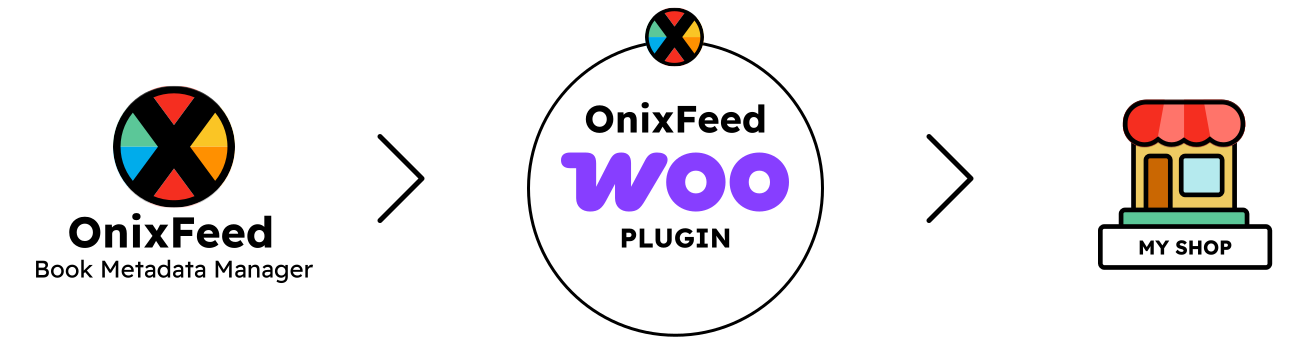
OnixFeed brings a curated selection of structured book data into WooCommerce, so you can create detailed product pages and useful ways to browse your catalogue without entering every title again in WordPress.
This plugin is available to OnixFeed customers. Please contact us for a demo.
Choose the books and add WooCommerce as a channel
Create a store collection in OnixFeed, choose its books, and add a WooCommerce channel. Each channel has its own market, pricing rules, markup, edition grouping, and update schedule, while the maintained book data remains part of your central catalogue.
Connect the OnixFeed Woo plugin with the collection key. The plugin retrieves the generated store files and imports the books and supporting records into WordPress.
Turn catalogue records into WooCommerce products
Titles, descriptions, covers, prices, stock information, and publishing status can move into WooCommerce from the catalogue your team already maintains.
The plugin matches existing products by identifiers such as ISBN, allowing later imports and sync runs to update the products already in your store instead of creating duplicates.
Bring the world around each book with it
A bookstore is more useful when readers can explore the people and information connected to a title. OnixFeed can bring contributors, publishers, reviews, collections, series, languages, age ranges, and subjects into WordPress alongside the books.
These relationships can support author pages, publisher pages, review content, curated collections, and richer product displays.
Make a large catalogue easier to explore
Use structured book data to help readers narrow the catalogue by language, subject, age, format, series, contributor, or publisher. Instead of treating every book as a generic WooCommerce product, your store can reflect the way people actually discover books.
Supply different WooCommerce stores from one catalogue
Create a store collection and WooCommerce channel for each storefront. You can prepare a complete publisher store, a specialist collection, or a separate range for a particular market without creating another master spreadsheet.
Each store keeps its own channel settings and collection key while all of them continue to draw their book information from the same OnixFeed catalogue.
Keep products updated without starting again
Run an update manually when you need it, or configure OnixFeed to regenerate the store files and the Woo plugin to import them on a schedule. Existing products are matched and updated, reducing repetitive work and helping your store stay aligned with your OnixFeed catalogue.
Designed for a flexible WordPress build
WooCommerce provides products, cart, and checkout. The OnixFeed Woo plugin brings in the publishing data. If your store uses Elementor and Crocoblock JetEngine, that data can also power book grids, contributor and publisher relationships, collection pages, search, and smart filters.
You keep the flexibility of WordPress while gaining a catalogue structure designed specifically for books.
We can help you get it live
We offer support from catalogue preparation and plugin setup through to store design, development, testing, and launch. We can build a new bookstore or help introduce OnixFeed into an existing WooCommerce site.
If you would like us to integrate with a specific platform, please get in touch.
Need help with your e-commerce store?
We can help with the complete process, from preparing your catalogue and selecting the right books to designing, building, and launching your online store.
If you already have a WooCommerce or Shopify store, we can help bring OnixFeed into your existing setup with as little disruption as possible.